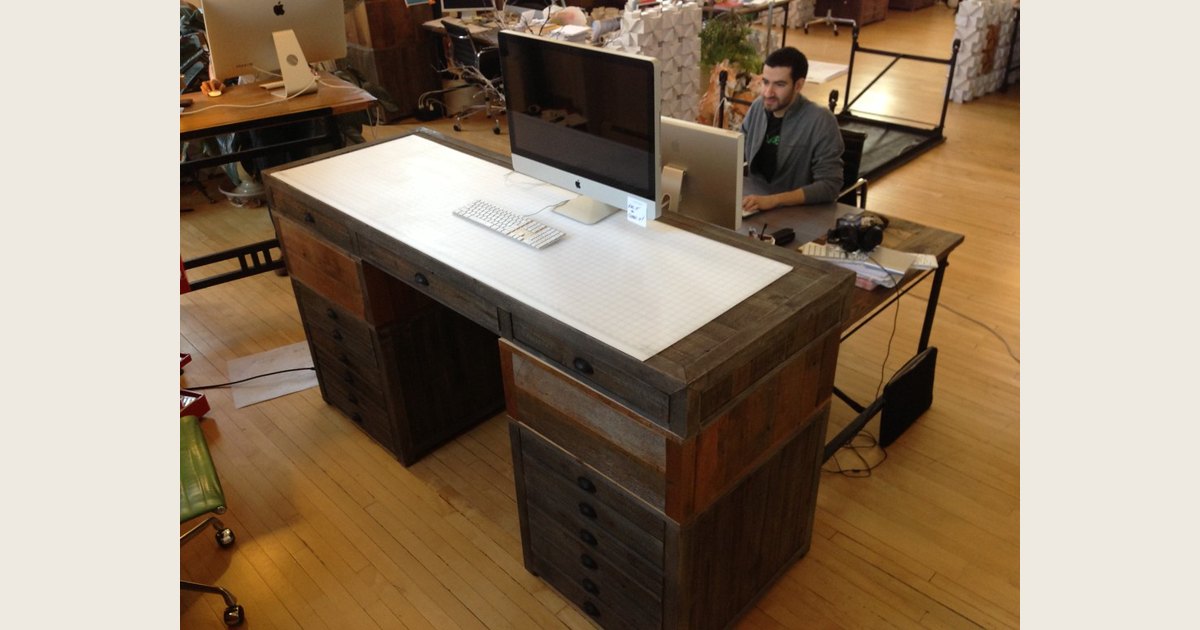
A standing desk is worth it when it makes it easier for you to alternate between sitting and standing during computer work. It is not worth buying just to stand all day, fix ongoing pain, or make up for being inactive outside work. The best choice is the least complicated setup that lets you work comfortably in both positions and that you will genuinely switch between.
Before spending money, ask one practical question: What problem would this solve in my workday? If the answer is “I want a comfortable way to stand for calls or change position between tasks,” a standing desk may help. If the answer is only “I heard sitting is bad,” start with movement breaks and your existing setup instead.
Key Takeaways
- A standing desk is a position-change tool, not a treatment or exercise plan.
- Prolonged standing can create its own discomfort, so the goal is to vary posture rather than replace all sitting with standing (Canadian Centre for Occupational Health and Safety).
- Buy only if the surface, monitor, keyboard, mouse, cables, and seated position will all work after the change.
- A timer, a better chair setup, a footrest, or a monitor adjustment can be a better first step when a full desk will not solve the real problem.
When a standing desk is likely to be worth it
A standing desk earns its place when it removes friction from a behavior you already want to adopt. For example, you may prefer to stand during short meetings but avoid doing so because your laptop, monitor, or keyboard cannot move with you. An adjustable work surface can make that second position usable without disrupting your workflow.
Use this table to make a decision based on your own work, not on a promise that more standing is always better.
| Your situation | Sensible next move | Why |
|---|---|---|
| You regularly feel stiff or restless after staying in one position, and want an easy way to change tasks | Consider an adjustable desk or a well-fitting converter | It may make switching positions part of the workday rather than a separate interruption. |
| You already take movement breaks and are comfortable sitting for focused work | Do not rush to buy | A desk cannot add much value if it will stay at one height. |
| Your screen, keyboard, and mouse will not fit comfortably on a raised surface | Measure and plan the layout first | A standing mode that compromises your main work tools is not an upgrade. |
| You often work on calls but do detailed keyboard work for long stretches | Consider standing for selected tasks, not every task | Different tasks can call for different positions. |
| Your budget is tight or your current workspace is cramped | Improve the existing setup first | A better chair adjustment, monitor position, or reminder system may address the actual barrier at lower cost. |
This is a behavior and workspace decision, not a test of willpower. If standing feels like a rule you must follow, the desk may become an expensive place to pile papers. If it gives you an appealing option at the right moments, it can be useful every day.
What a standing desk can and cannot do
A standing desk can give you a usable alternative to sitting. It can also prompt you to reconsider where your screen, input devices, and frequently used items sit. That is valuable because a standing setup still needs room to move and tools within comfortable reach. The Canadian Centre for Occupational Health and Safety’s guidance on standing work recommends making work surfaces adjustable where possible, keeping items within reach, and allowing room for movement and posture changes.
It cannot turn prolonged standing into a universal health solution. CCOHS notes that regular prolonged standing may contribute to foot soreness, leg swelling, fatigue, lower-back pain, and neck or shoulder stiffness. Its advice is to vary posture often, use opportunities to sit, move, or walk, and provide a chair so sitting and standing can alternate (CCOHS).
Nor does a standing desk replace regular exercise. The American Academy of Orthopaedic Surgeons recommends regular exercise, including aerobic activity and exercises that keep the back and abdominal muscles strong and flexible (AAOS, Low Back Pain). Keep that separate from choosing a desk. A desk can support more varied work posture, but it is not an activity plan.
There is also no universal standing-to-sitting ratio to copy. CCOHS does not prescribe a fixed interval on its standing-work page. Instead, it emphasizes frequent posture changes and rest opportunities suited to the work. Use that principle rather than forcing yourself into an arbitrary schedule.
Check these details before you buy
A product’s height range or a large work surface does not automatically mean it will fit your workday. Run through these checks before deciding between a full desk, a desk converter, or no new equipment.
-
Picture both working positions. List what must be usable: screen or screens, keyboard, mouse, webcam, papers, drink, and any charging devices. A setup that works only while standing is not a complete solution.
-
Measure the real footprint. Check desktop depth and width, leg clearance, available floor space, and whether a raised surface will interfere with shelves or a window. Include the space needed for a chair when you sit.
-
Plan for your display. Your screen position should remain workable at both heights, not just when the desk is fully raised. If display adjustment is the missing piece, see how to choose a monitor arm before assuming the desk is the answer.
-
Account for cables and power. Confirm that power, display, and charging cables have enough slack for the full movement range and that they will not snag during adjustment.
-
Think about adjustment friction. Manual, electric, and converter designs differ, but the important question is simple: will changing height be easy enough that you will do it? Do not pay for features meant to encourage use if you have no reason to expect they will fit your routine.
-
Protect the seated setup. You still need a comfortable place to sit. Do not accept a worse chair position or cramped keyboard placement just to gain a standing mode.
Set up a standing desk for changing position, not all-day standing
Start with the work rather than a preset number. Put the keyboard, mouse, screen, and items you use often where you can reach them without repeated twisting or bending. CCOHS advises keeping tools and controls within comfortable reach and facing the task rather than reaching or twisting toward it (CCOHS).
Then adjust the work surface in each position. CCOHS gives task-specific starting points for standing work: a light-work surface is generally set about 5 to 10 centimeters below elbow level, while precision and high-force tasks call for different heights. Computer workstations vary, so treat that as a starting point to assess rather than a measurement to force. The outcome matters more: you should be able to use the keyboard and mouse without feeling crowded, overextended, or as if you are constantly raising your shoulders.
Give yourself ways to shift weight and recover. CCOHS recommends space to move, a foot rail or movable footrest for changing leg loading, and seating that lets a worker alternate positions. Those are practical additions when standing starts to feel static. If a position produces discomfort, change position, sit, or take a short movement break instead of trying to push through it.
A simple transition plan is more useful than a rigid rule. Stand for a task that naturally suits it, such as a call or a brief review; sit when you need sustained concentration; and take ordinary movement breaks away from the desk. Adjust that pattern based on comfort and the work in front of you.
When you should skip the purchase or choose an alternative
Do not buy a standing desk when it will not solve a specific obstacle. You may be better off without one if you already change position comfortably, lack room for a stable setup, cannot accommodate your essential equipment in both modes, or would need to compromise your seated workstation to make it fit.
A lower-commitment change can reveal what you need. Adjust your chair and monitor, use reminders to get up and move, or arrange a brief standing option for occasional calls. A temporary trial at a counter can tell you whether you enjoy standing for a short task, but it is not a good permanent workstation if you cannot position the screen and input devices comfortably.
A desk converter may make sense when an existing desktop has adequate space and stability, while a full adjustable desk may be more appropriate when the whole work surface needs to change. Neither option is automatically better. The right choice is the one that preserves an effective seated setup and adds a genuinely usable standing one.
Frequently asked questions
Are standing desks worth it for back pain?
Do not buy one as a treatment for back pain. CCOHS notes that prolonged standing itself can be associated with lower-back pain and other discomforts, which is why alternating positions is more sensible than trying to stand through the day (CCOHS). If low-back pain has not improved within a few weeks, contact a doctor. Seek medical attention right away for leg weakness or loss of bladder or bowel control; fever, chills, or unexpected weight loss are also reasons to contact a doctor (AAOS, Low Back Pain).
How long should I stand at a standing desk?
There is no single number that suits every worker or task. CCOHS does not give a fixed standing-to-sitting ratio; it recommends varying posture often and using opportunities to sit, move, or walk. Start with brief, purposeful standing periods and adjust based on comfort rather than chasing a target.
Is a manual standing desk worth it?
It can be, if the adjustment process is easy enough for your actual routine. A manual model that you readily use is more useful than a more elaborate option that stays at one height. Test the movement, workspace, and cable plan before deciding.
Do I need a monitor arm with a standing desk?
Not necessarily. You need a monitor solution that keeps the screen usable at both desk heights. If the display cannot move enough with the desk, an adjustable arm or another mounting approach may be worth considering. Check compatibility, weight limits, and your desk’s mounting options before buying.
The bottom line
Standing desks are worth it for people who want a convenient, comfortable way to change position while they work. They are not worth buying as a cure, a fitness substitute, or an obligation to stand all day. Prioritize a stable setup, easy adjustment, and a seated position you still want to use. If those conditions are not in place, improve the workspace you have and build regular movement into the day first.
Photo: Standing desk by juhansonin, licensed under CC BY 2.0. Resized and padded. Illustrative stock photo; no product testing is implied.