A desk lamp is useful when your room lighting leaves your work surface too dim, creates distracting shadows, or makes it hard to see paper without adding glare to your screen. If your existing lights provide comfortable, adjustable light for the tasks you do, you may not need one. Decide by checking your workspace at the times you actually use it—not by assuming every desk needs a lamp.
Key Takeaways
- Add task lighting if you cannot comfortably see paper or other desk work with the room lights you have.
- A lamp is not automatically an improvement: it can create screen reflections or bounce glare off a wall or glossy surface.
- First try adjusting the room lights, window coverings, screen or desk position. Then add a lamp only if a specific lighting problem remains.
Do you need a desk lamp? Start with this quick check
You are more likely to benefit from a desk lamp if one or more of these situations describes your regular work:
- You read, write, draw, or handle paperwork: The ceiling light leaves the page dim, or your hand, head, or equipment casts a shadow where you need to see.
- Your lighting changes during the day: Daylight helps at one hour, but your desk becomes too dim later or on overcast days.
- The room light is uncomfortable to adjust for everyone: A local light can illuminate your work area without changing the light for the whole room.
- You can’t comfortably see the work surface: Even after switching on available lights and opening or adjusting the blinds, the desk is still too dim for the task.
You may not need a separate lamp if you mostly use a screen, the room is comfortably lit, and you can read documents without strain or troublesome shadows. A bright ceiling fixture or well-positioned daylight may already do the job. The deciding factor is whether the current setup works for your eyes and tasks—not whether your desk looks complete with a lamp.
What a desk lamp can—and cannot—fix
A desk lamp gives you a way to add light to a particular work area. It can help when the room is generally comfortable but a page, notebook, or small task needs more light. It will not necessarily fix glare from a window, a reflection on your monitor, or lighting that is too bright across the whole room. A poorly aimed lamp may add another bright reflection instead.
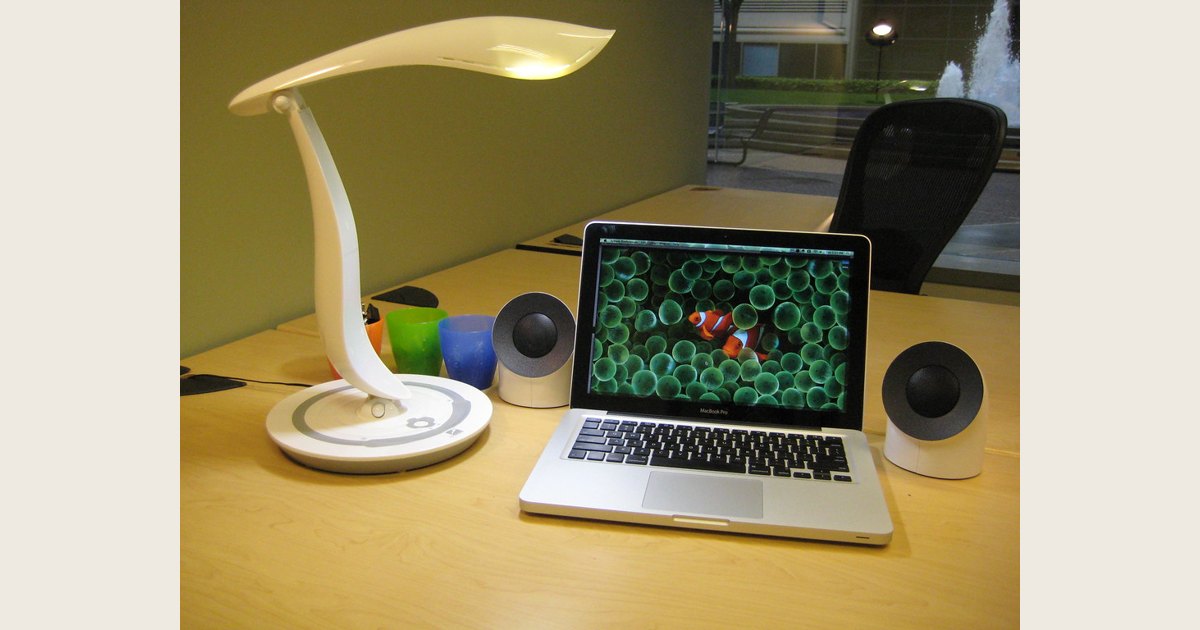
The UK Health and Safety Executive’s workstation checklist says users should be able to control light levels, for example with blinds or light switches. It suggests shading or repositioning light sources, or using local lighting such as a desk lamp, while checking that the light does not cause glare by reflecting off walls or other surfaces. That is workplace guidance rather than a household rule, but it offers a useful way to assess a home desk too (HSE workstation checklist, CK1).
A five-minute lighting test
Check the setup with the tasks you actually do. Try it once in daytime and again in the evening if your lighting changes.
- Switch on the lights you normally use. Sit in your usual position and look at both the screen and any paper or objects you work with. Ask whether the desk is comfortable to use—not simply whether the room looks bright.
- Check for shadows on the work. Move a document to your usual working spot. If your body, hand, or monitor blocks light, try moving the document or changing the room-light direction before shopping for a lamp.
- Look for screen reflections. Turn off the monitor and inspect its dark surface. If you see a window or light reflected in it, try moving the screen or desk, adjusting the window covering, or changing the light source. HSE’s checklist suggests using a mirror in front of the screen to identify where reflections come from, then moving or shielding the screen as needed.
- Check glare on other surfaces. Look at the desk, nearby walls, and glossy objects from your normal seated position. A lamp may solve a dark-page problem but create a bright patch elsewhere; try a different angle or location.
- Change one thing at a time. Adjust a blind, switch, screen, or light position and repeat the check. If the setup becomes comfortable without a lamp, you have your answer.
HSE also recommends checking that window coverings are adjustable and in adequate condition. Its checklist treats light that is too bright or too dim to work comfortably as a point to assess; it does not prescribe one brightness level for every desk or task (HSE workstation checklist, CK1).
Desk lamp, ceiling light, or daylight?
There is no single best source for every desk. Compare what each option does in your room, and combine them only if that solves a real problem.
| Light source | May work well when | Watch for |
|---|---|---|
| Ceiling or room light | The whole work area is comfortably lit and paper is easy to see. | It may be too dim for a detailed task or reflect on a monitor, depending on its position. |
| Daylight | The desk receives useful natural light and you can adjust its direction or intensity. | Conditions change during the day; a window can also create a screen reflection. |
| Desk lamp | You need additional light on one part of the desk, especially for paper-based work. | A direct beam or reflected light can be distracting. Aim it at the task, not the screen or your eyes. |
A simple order of operations: adjust the existing room light and window coverings first; reposition your screen if it reflects a bright source; then add a desk lamp if the work surface still needs local light. HSE’s checklist specifically recommends considering shading, repositioning light sources, and local lighting, while avoiding reflections from walls or other surfaces.
If you do need a lamp, place it carefully
Start with the task: position the lamp so its light reaches the paper or work area you need to see. Keep the bright part of the lamp out of your direct line of sight, and check from your normal seated position that the beam does not appear as a reflection on your monitor or a shiny desk. If it does, change the angle or move the lamp rather than simply making it brighter.
The best side depends on your desk layout, task, and which hand you use. Move the lamp and paper around until your hand is not casting a distracting shadow over the work. Then repeat the screen-reflection check with the lamp on. A lamp can be helpful for paper tasks while remaining switched off during screen-only work; you do not have to use it all day.
If you are choosing a lamp, look for a stable base and a head or arm that lets you direct light where it is needed. Follow the lamp maker’s instructions for compatible bulbs and use. For LED options, ENERGY STAR notes that LEDs emit light in a specific direction, unlike bulbs that send light in all directions; the lamp or bulb still needs to suit the distribution you want (ENERGY STAR, “Learn About LED Lighting”). For more on styles and features, see our guide to choosing a modern table lamp for a home office.
What if the lamp makes things worse?
If you notice a bright spot on the screen, turn or move the lamp and check for reflected light from walls or nearby surfaces. If the screen reflection comes from a window or ceiling fixture, a new desk lamp may not help; adjust the window covering, room light, or screen position instead. HSE recommends anti-glare screen filters only as a last resort, after other measures, and suggests seeking specialist help if those measures do not work (HSE workstation checklist, CK1).
If your desk still feels too dim, too bright, or uncomfortable after you adjust the light sources, revisit the whole setup rather than assuming a particular lamp will solve it. For employees who use display-screen equipment, HSE advises employers to assess the workstation and reduce identified risks; the exact rules depend on where you work. Persistent discomfort is a reason to seek appropriate workplace or professional advice, not a guarantee that buying a lamp will resolve it.
Common questions
Do I need a desk lamp if I mostly use a computer?
Not necessarily. If the room is comfortably lit and your monitor has no distracting reflections, a separate lamp may add little. Keep one available if you also read or write on paper and the current room lighting leaves that work dim.
Can an overhead light replace a desk lamp?
Yes, if it makes the work area comfortable to use and does not create troublesome shadows or reflections. If one area remains too dim, try adjusting the room light or adding local task lighting.
Will a desk lamp reduce eye strain?
A lamp can address a specific lighting issue, such as a dim work surface, but no lamp can be promised to prevent or resolve eye symptoms. Check for glare and reflections as well as brightness; seek appropriate advice if discomfort persists.
Bottom line
You do not need a desk lamp just because you work at a desk. First see whether your existing lighting lets you comfortably use your screen and any paper-based materials, without shadows or distracting reflections. Adjust the room light, blinds, screen, or desk position; add a lamp only if a local lighting need remains. Then position it for the task and recheck the monitor and nearby surfaces with the lamp on.
Featured image credit: “Desk Lamp” by flakeparadigm, Flickr, licensed under CC BY 2.0. Resized and padded. Illustrative stock photo; no product testing is implied.