
The best office chair is the one that fits your body, desk, and daily tasks—not simply the one with the most adjustments or an “ergonomic” label. Before buying, check whether its seat height and depth let you sit with your feet supported and back against the backrest, then test the armrests and controls at your actual workstation. The right fit depends on your proportions and setup, so use the steps below to narrow your options and verify them in person or through a return-friendly trial.
Featured image credit: Illustrative stock photo by Rashed Hossain, WordPress Photos, CC0 1.0; resized and padded. No product testing is implied.
Key Takeaways
- Fit matters more than the “ergonomic” label: check the chair against your body, workstation, and tasks.
- Look for a seat-height range that lets your feet rest on the floor or a footrest, plus enough seat-depth adjustment to avoid pressure behind your knees.
- Test the backrest, armrests, desk clearance, controls, and casters together—not as isolated features.
- Try the chair at your desk if possible; if shopping online, understand the trial, return, and pickup terms first.
Before you shop: note your desk and work habits
A chair has to work with the rest of your setup. Note whether your desk height adjusts, how much room you have beneath it, what flooring the chair will roll on, and whether you spend most of your seated time typing, using a mouse, or switching between tasks. If you share the chair, each user’s fit matters.
When you test a chair, wear the shoes you normally work in and bring any footrest you already use. Check that you can sit close enough to the desk without your knees or armrests hitting it. If you cannot visit a showroom, compare the chair’s published adjustment ranges with your current setup and find out how returns work before ordering.
The Canadian Centre for Occupational Health and Safety (CCOHS) notes that an “ergonomic” label does not guarantee a chair will suit a particular person. Fit depends on body dimensions, the workstation, and the task (CCOHS, “Office Ergonomics—Ergonomic Chair”, current as of June 1, 2026). Use that as your buying rule: judge the adjustments and fit, not the marketing category.
Step 1: Check the seat-height and seat-depth ranges
Start with the seat, because a chair that cannot position your feet and legs comfortably is a poor match even if its backrest feels supportive. Look for adjustable height and, where possible, adjustable seat depth.
- Set the height so your feet have support. Sit back and adjust the chair until your feet rest flat on the floor or a footrest. Your thighs should feel supported without the front edge pressing into the underside of them. If you have to raise the chair to reach a fixed-height desk, check whether a footrest can support your feet and whether there is still comfortable leg clearance under the desk.
- Check the seat depth. Sit fully back against the backrest. The seat should support your thighs without pressing into the backs of your knees. CCOHS suggests checking for about a clenched-fist-width gap between the seat edge and calves as a fit check; treat it as a practical guide, not a measurement that overrides comfort or your body proportions (CCOHS, “How to Adjust Office Chairs”).
- Check width and movement. The seat should feel stable and evenly supportive while leaving room to shift position. Make sure the seat sides do not press into your hips or thighs.
A chair may offer height adjustment but still be a poor choice if its lowest or highest setting does not suit you. If more than one person will use it, make sure the seat range and depth can accommodate each person; one fixed setting may not work for everyone.
Step 2: Make sure the backrest meets your back
A backrest should support you without forcing you into one rigid position or creating an uncomfortable pressure point. Look for an adjustable backrest that can move up or down and forward or backward, then see whether its shape and support line up with your lower back when you sit normally.
Check the controls while seated. You should be able to reach and operate them without twisting or standing up, and you should understand what each one changes. If the chair reclines or the backrest tilts, test the range and resistance rather than assuming more movement is automatically better. The useful setting is the one that lets you work comfortably and change position when you want to.
CCOHS recommends checking that the backrest can be adjusted vertically and forward or backward, supports the lower back, and does not restrict movement or create pressure points. The fit is personal: a support pad or contour that feels prominent to one person may not line up well with another. If the lower-back area does not meet your back in a relaxed sitting position, see whether the chair’s adjustments can correct it before considering a different model.
Step 3: Test armrests and desk clearance together
Armrests are helpful only if they support your arms without blocking your approach to the desk. With your shoulders relaxed and upper arms near your sides, adjust the rests so they support your forearms without pushing your shoulders upward. Then roll or move the chair close to the desk and check that the rests do not collide with its edge.
Some armrests adjust only in height; others also move in or out, pivot, or slide. Those options can help you find a workable position, but they are not a substitute for checking the chair at your desk. If the armrests stay too high, sit too far apart, or prevent you from getting close enough, look for a model with more range or removable rests. CCOHS also advises adjusting or removing armrests when they interfere with getting close to the workstation.
Test the desk, keyboard, and chair as a group. If reaching the work surface makes you shrug or lean forward, the chair-and-desk combination may need a different adjustment—or may not fit. A chair alone cannot fix a workstation mismatch.
Step 4: Try the whole chair at your workstation
When possible, test a short list of chairs where you will use one. CCOHS recommends that the person who will use the chair try suitable options in a real work situation before a final choice. Spend enough time to check normal movements, not just the first impression of the cushion.
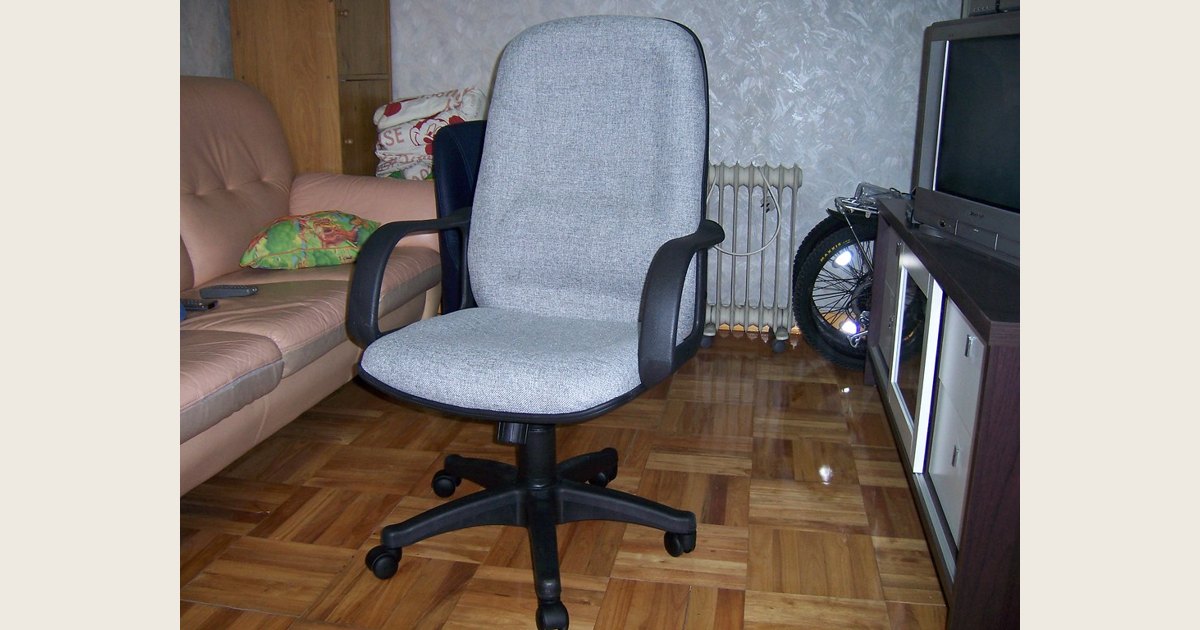
Use this quick test with each candidate:
- Sit with your back against the backrest and confirm that your feet and thighs are supported.
- Reach the keyboard and mouse without leaning forward or lifting your shoulders.
- Move close to and away from the desk; check armrest, knee, and leg clearance.
- Operate the height, backrest, and tilt controls from the seat.
- Shift position and swivel. If the chair has casters, see whether they suit your floor and stay stable for your work.
Notice persistent pinching, pressure, wobbling, or a control that is hard to reach. Those are reasons to adjust, compare another chair, or stop the trial—not problems you should assume will disappear. If you cannot try before buying, look for complete dimensions and adjustment ranges, and read the retailer’s policy for return window, packaging, shipping or pickup costs, and restocking fees. For options on where to shop, see our guide to buying an office chair online, in-store, used, or refurbished.
Step 5: Compare practical features and tradeoffs
Once a chair passes the fit check, compare details that affect your actual use. Avoid paying extra for adjustments you cannot use or features that do not solve a problem in your setup.
| Your situation | What to prioritize | What to check before choosing |
|---|---|---|
| Fixed-height desk | Seat-height range and foot support | Whether the chair fits the desk and your feet can rest on the floor or a footrest |
| Shared workstation | Easy-to-reach adjustments and a broad fit range | Whether each user can set the height, backrest, and armrests independently |
| Tight desk or limited legroom | Compact base and armrests that adjust or move out of the way | Clearance beneath and around the desk; room to turn and roll |
| Hard floor or carpet | Casters suited to the floor and a stable base | Whether the chair rolls as intended without moving when you do not want it to |
| Long or varied work tasks | Backrest and seat adjustments that support posture changes | Whether the controls are usable and the chair remains comfortable in the positions you use |
Consider the seat surface, too. It should feel comfortable and should not make it difficult to stay seated for your usual tasks. Breathable fabric may be preferable if heat buildup bothers you; other materials may be easier to clean. Neither material is automatically best for everyone. Check whether the manufacturer provides care and maintenance instructions, and what the warranty covers, but keep those questions separate from fit: a warranty does not make an uncomfortable chair suitable.
Common mismatches—and what to check
If a chair seems wrong, identify the mismatch instead of judging it by its feature list. These checks can help you decide whether an adjustment will work or whether another chair is a better option.
| What you notice | Check this first |
|---|---|
| Feet dangle after adjusting the seat to the desk | Lower the seat if possible; otherwise check desk clearance and whether a footrest lets you keep a workable arm position. |
| Seat edge presses behind your knees | Try a shallower seat setting or a chair with a shorter seat; sit back so the backrest supports you. |
| You cannot get close to the desk | Lower, reposition, or remove obstructing armrests; check whether the desk apron or legs limit clearance. |
| Lower-back support feels misplaced | Adjust the backrest’s height and depth. If it still does not meet your back comfortably, compare a different backrest shape. |
| You lean forward to reach the keyboard | Recheck desk and keyboard placement as well as chair fit; do not expect chair adjustments alone to solve the reach. |
A chair is one part of a workstation, not a cure-all. CCOHS says that the work surface, floor or footrest, lighting, and other workstation elements also matter, and recommends opportunities to change position and move. If discomfort persists or you need individual ergonomic or medical advice, consult a qualified professional rather than relying on a product label or this general buying guide.
Final checklist before you buy
The right office chair should let you sit with supported feet, no pressure behind the knees, a comfortable seat width, and a backrest that fits your lower back. Its armrests and base should work with your desk and floor, and its adjustments should be understandable and usable. Test the complete setup if you can; if you cannot, verify dimensions, adjustment ranges, and return terms before ordering.
For a chair you already own, our guide to adjusting an office chair walks through setup after it arrives. A good choice is not the chair with the longest feature list—it is the one you can fit to your body and workstation.